Yeah, Apple stuff usually just gets on with it and works fine. The only major issue I’ve ever had with Apple computers is account based stuff like trying to sync iCloud across products (or problems caused by Adobe).
But with my iMac, I bought about 5 years ago, turned it on and I’ve never had a tech issue since.
My work PC really pissed me off yesterday. I took a load of CDs to load up to my library and Media player won’t find album info. There are fixes but none seemed to work and are so convoluted for such a simple issue. I need a WMP replacement but all look like shit. Just want a simple player to play music at work.
Is VCL still any good? Not sure if that will find album info though. They seem to be trying to forget how to do that or they just cant be arsed to keep updating it now.
Sounds like a problem with your software, not Windows. Whether its FAT32 or exFAT won’t make any difference to the software. Main problem you’ll have is if you’re booting up your PC from off with an internal drive formatted as exFAT, it won’t boot at all - speaking from experience there. Also, unless you regularly have to connect this drive to an OSX device, then you should format it as NTFS - it’s also worth spending the few quid (or blagging) on something like NTFS for Mac (read/write to NTFS on OSX) or Macdrive on Win (read/write to OS X drives in WIndows).
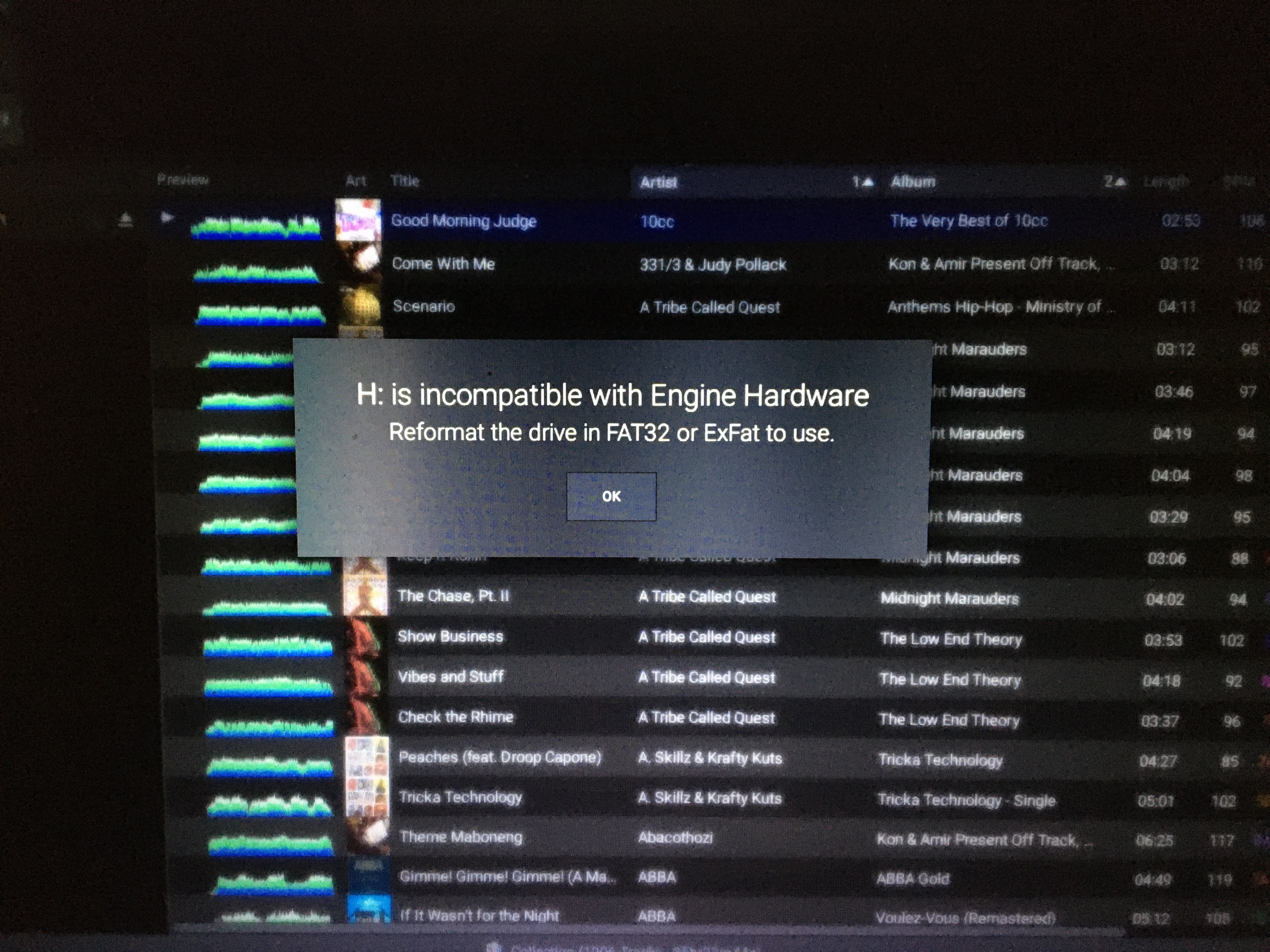
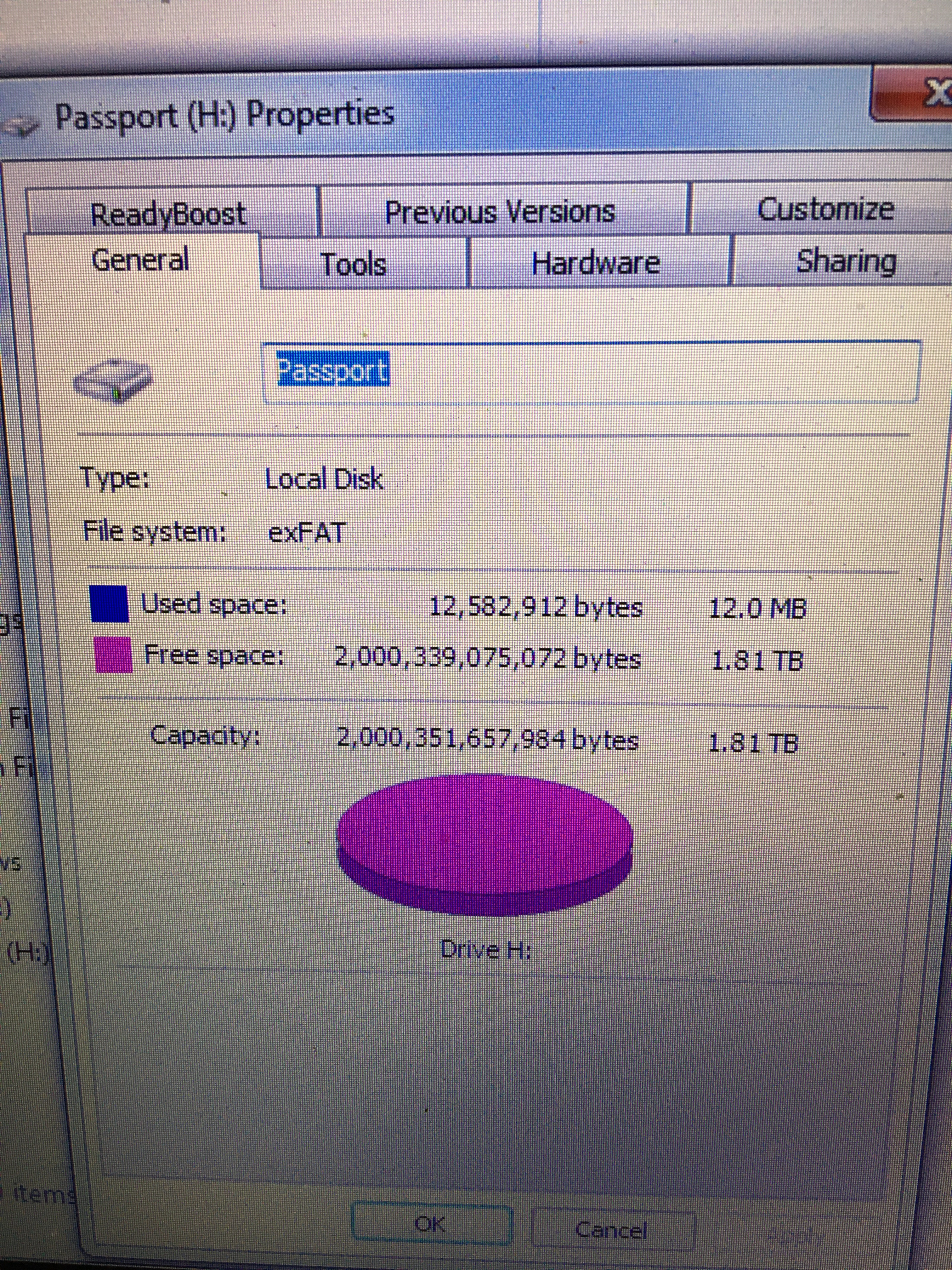
It’s Denon Prime Engine on a Windows 7 laptop, which I plug an external drive into to take the MP3s and the ‘crates’ organised by Engine across into the Prime 4 controller. The first time I set it all up, I plugged the drive into laptop, opened up Engine and it rejected it as not being FAT32 or exFAT. So I made sure the drive was formatted like that, changed the drive letter, and it worked dozens of times with no problem. Then last night, plugged drive into laptop as usual to grab some new tunes off it and it does a computer says no.
So is windows seeing the drive normally? If not, have you run any diagnostic software? Any bad sectors? Is it backed up to another drive? If so, run that.
I’m guessing the software is also designed for OS X yeah? It’s odd that it would need FAT32 or exFAT to run on Windows.
Also check your cables and if you have another drive caddy (pick them up online for about £15), put the drive in there and check to see if it’s the connections in your drive that are the problem - I’ve had loads of problems in the past caused with a broken cable.
Why are you running Win7? 10 came out 5 years back and is a vast improvement!
Hated all versions of Windows since 7 and try to use it as little as possible. I’m just hanging in there for a DJ controller with a browser to download songs directly from the net so I can ditch laptops altogether.
Best way to get a clip out of Premiere Pro and then onto an iPhone for Instagram? Maybe I’m tired but when I email it across it doesn’t fucking work, neither does airdrop.
Haven’t done this on Premiere, google YouTube doesn’t fucking help.
Oh god not a Western Digital Passport drive? I’ve had nothing but problems with them, I won’t touch WD drives now. No less than 3 bought from new fucked up.